Task Management System
OFreight includes a powerful integrated Task Management System designed specifically for freight forwarding companies.
It wraps around the way freight teams actually work and is built using modern task management practices and proven academic frameworks to help teams stay organized, focused, and productive.
Operations teams managing shipments
Sales teams following up with customers
Managers overseeing performance
Fully Integrated With All OFreight Modules
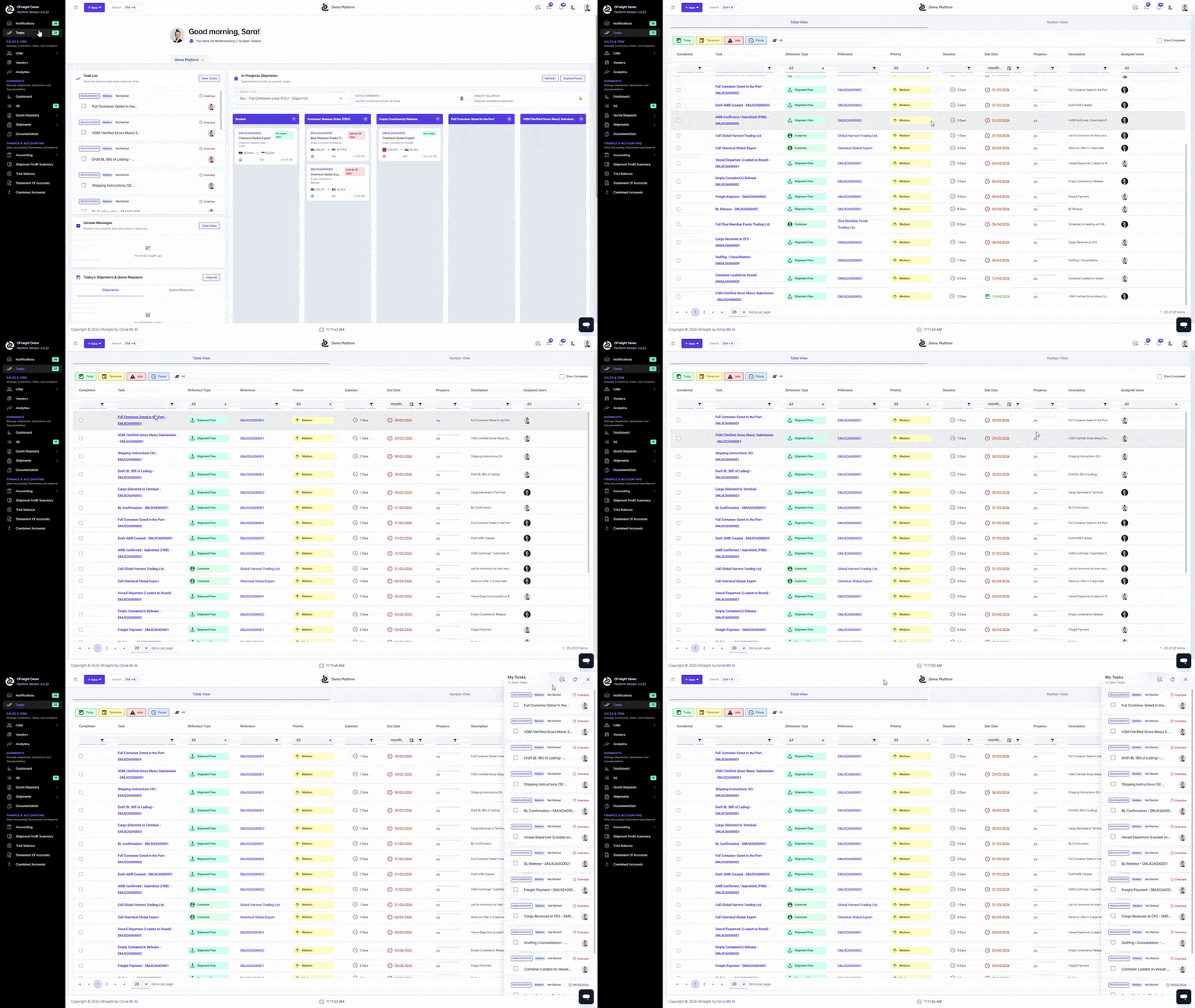
The OFreight Task Management System is deeply integrated with all modules of the platform, including CRM, Operations, Documentation, and Accounting.
This integration ensures that every task is automatically connected to the relevant workflow, helping users stay on top of their responsibilities without switching between different systems.
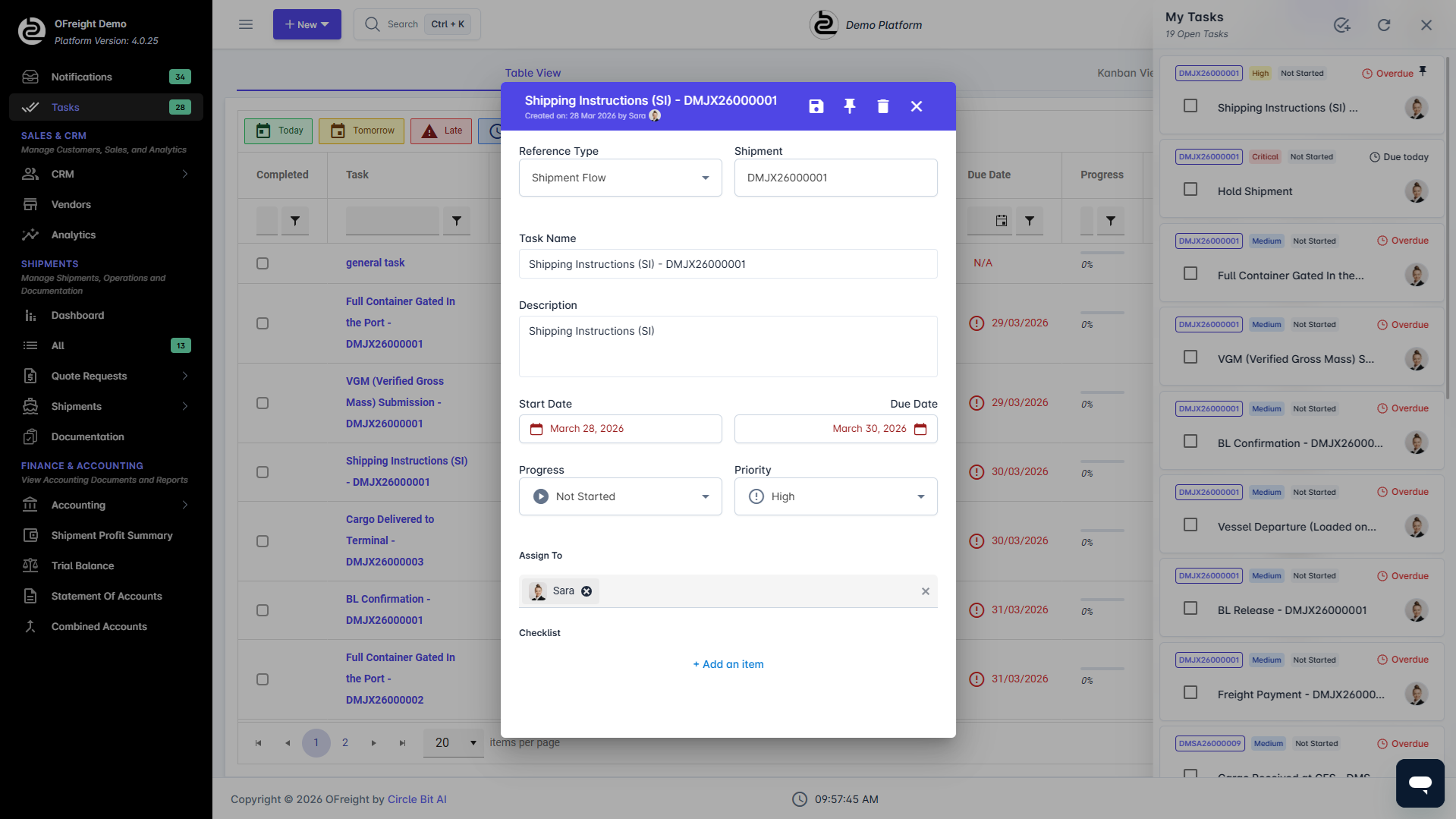
Each task can:
Be assigned to yourself or another team member
Include detailed descriptions and checklists
Be prioritized from Low to Critical
Be tracked through different progress stages:
Four Types of Tasks in OFreight
OFreight supports four types of tasks, designed to reflect the real workflow of freight forwarding companies.
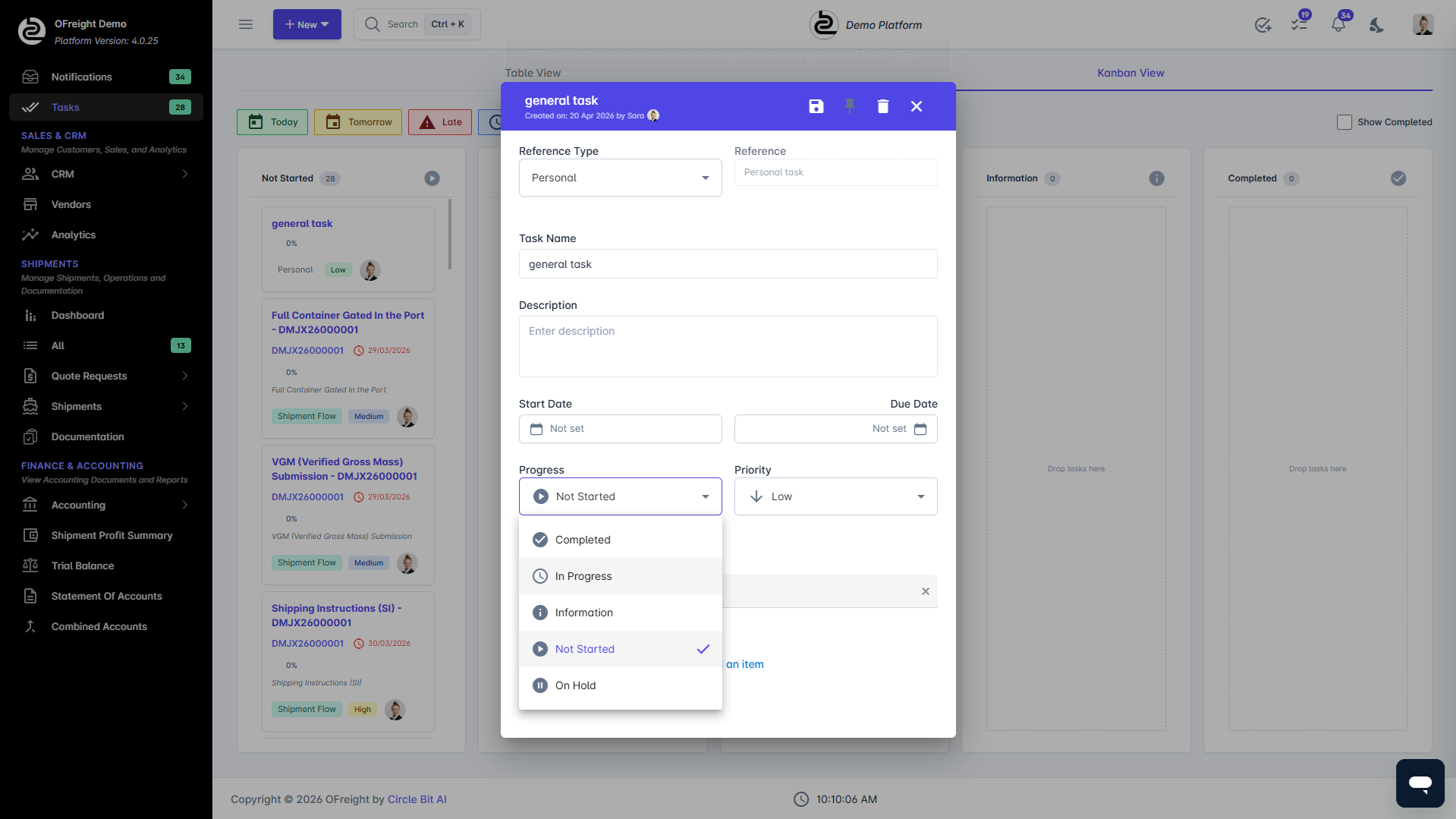
Shipment Flow Tasks (Automatically Generated)
Shipment Flow Tasks are automatically created based on the customized shipment operation flow defined in OFreight.
These tasks guide the operations team step-by-step through the shipment lifecycle, ensuring that no operational step is missed.
Examples include:
- Document preparation
- Booking confirmation
- Customs documentation
- Delivery coordination
These tasks appear directly inside the Shipment Dashboard, allowing any user opening a shipment to immediately see what tasks are pending.
Shipment Custom Tasks (Non-Flow Tasks)
Shipment Custom Tasks are manually created tasks related to a specific shipment but not part of the predefined operational workflow.
They are useful for special situations, incidents, or specific shipment requirements, such as:
- Shipment on hold
- Special document requests
- Additional approvals
- Urgent customer instructions
Both Flow Tasks and Custom Shipment Tasks are visible inside the shipment dashboard and can be pinned to the top for better visibility.
Customer-Related Tasks (Sales Follow-Ups)
Customer-Related Tasks are designed for the sales team.
These tasks are automatically generated when sales executives update their CRM reports, ensuring that all customer follow-ups are properly tracked.
Typical examples include:
- Following up on quotations
- Checking customer responses
- Scheduling meetings
- Following up on pending bookings
This ensures that no opportunity or customer communication is missed.
Personal Tasks
Users can also create personal tasks for themselves or assign them to other team members.
These tasks are useful for:
- Internal coordination
- Team reminders
- Administrative work
- Personal task tracking
This flexibility allows OFreight to function as a complete task management environment for the entire organization.
Manager & Team Visibility
Managers and Sales Team Leaders have full visibility over their team's tasks.
They can:
- View all team members' tasks
- Identify overdue or idle tasks
- Reassign tasks when necessary
- Balance workloads across the team
This feature helps leaders ensure that all operational and sales activities move forward efficiently.
Built for KPI Tracking and Performance Management
The OFreight Task Management System also plays an important role in performance measurement and KPI tracking.
Since every task is recorded and tracked, managers can:
- Monitor productivity
- Evaluate team performance
- Analyze operational efficiency
- Improve workflow processes
This makes the task system not just an operational tool, but also a powerful management and decision-making instrument.
Transform Your Operations with
OFreight
Run Your Freight Forwarding Business Faster & Smarter with a Single Easy to Use Platform
Get immediate access, no credit card required.